![[personal profile]](https://www.dreamwidth.org/img/silk/identity/user.png)
Stupid Microsoft
May. 23rd, 2009 01:37 pmFurther to the instructions here, I'd add that you will need to randomly re-install the new layout from time to time, as Windows randomly breaks or removes it without even telling you.
Mac support for Emacs (or possibly the other way round) has been a bit of an issue for a while.
The shipped /usr/bin/emacs only runs in a terminal, lacking any kind of GUI support, which is OK for quick edits but rather inferior for extended work.
Compile your own Emacs with X11 support (or use someone else's, e.g. Fink) and that works, but then you're at the mercy of Apple's deranged X11, which gets on badly with Spaces and has very poor cut and paste integration with native applications.
For a while there's been Aquamacs, which bills itself as a Mac-friendly version of Emacs, but I never really got on all that well with it.
A particular problem is that if you type anything while a selection exists, the selection is replaced with what you type. This is Macish enough but if you created the selection using the keyboard rather than the mouse then you can't make the selection go away with the keyboard - you have to use the mouse. The result ends up being a lot of undoing, even after months of use.
It also doesn't tell you what size your window is when resizing and creates new windows (frames, in Emacs's own terminology) with a size matching the last one. So getting a window of a particular size can be rather fiddly.)
Recently ![[livejournal.com profile]](https://www.dreamwidth.org/img/external/lj-userinfo.gif) fanf mentioned the NextSTEP port of
Emacs (or OpenSTEP, if you prefer) which has now been merged into the
trunk of Emacs. NextSTEP's direct descendant is of course OS X, so
this is a Mac-native Emacs.
fanf mentioned the NextSTEP port of
Emacs (or OpenSTEP, if you prefer) which has now been merged into the
trunk of Emacs. NextSTEP's direct descendant is of course OS X, so
this is a Mac-native Emacs.
The source can be retrieved via CVS. It built an Emacs.app without any trouble. It act much more like my muscle-memory expects Emacs should (no more destructive and un-dismissable selections), but also has concessions to the local OS - for instance it supports native cut and paste using ⌘C, ⌘X, ⌘V etc. Window size behavior is more sane and usable too.
Complaints so far:
These are pretty minor; overall it's a clear improvement over what came before. Perhaps Apple can be persuaded to included it in future releases (with a link from /usr/bin/emacs into the depths of the application bundle)?

(i.e. lots of accounts friended me and then evaporated).
I downloaded the Safari 4 beta.
The obvious visual change is that tabs now replace the title bar. AFAIK this feature first appeared in Google Chrome. It seems a sensible use of vertical space.
I have a complaint about Apple's implementation of the idea though: when you have more than a few tabs (depending on the width of the window), the first thing to disappear is the close button towards the left. Fair enough, but when you hover over the tab (for instance to select it) the close button reappears. Since until you're there there's no visual indication you need to avoid that part of the title, the result is lots of accidentally closed tabs. Worse, there appears to be no undo close tab option.
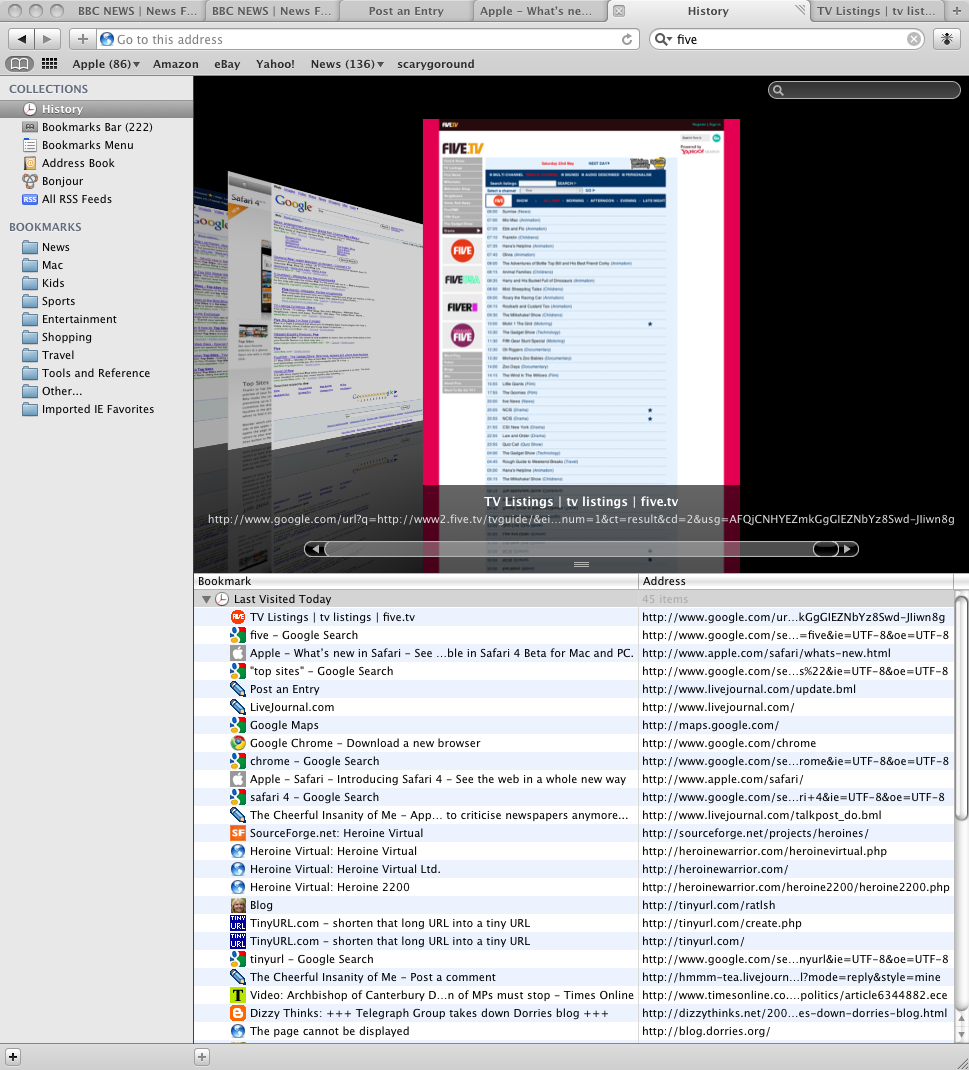
In fact the closed tab will be the first thing you see in the history page, so it's not that hard to retrieve it. But you lose any state that you had in that page (unlike Firefox's undo close tab option, which does preserve at least some of the state).
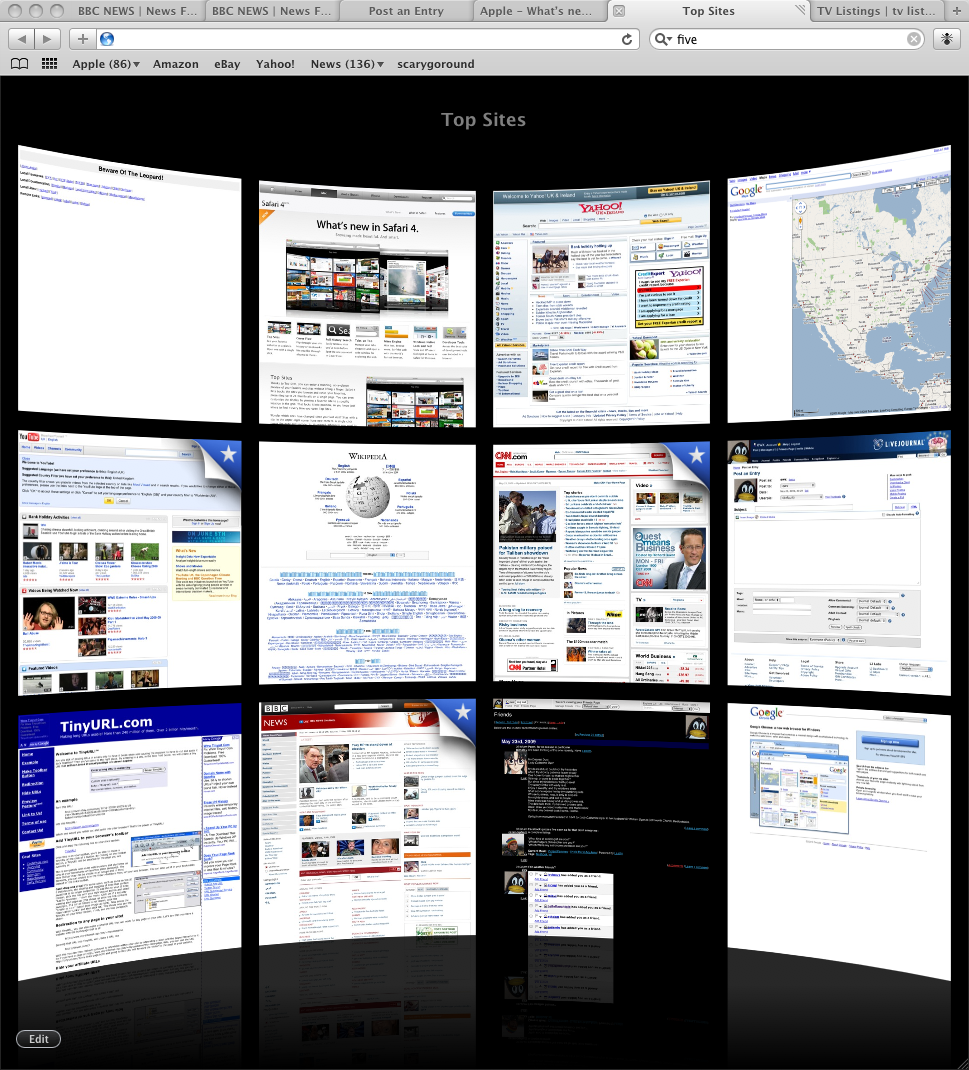
The top sites page makes is effectively an adaptive bookmarks page, showing thumbs of the dozen sites Safari thinks you visit most often. It's initially populated with the NYT, Amazon, Apple, Wikipedia, CNET and various others. Wikipedia presumably got there for free but I did wonder if the others had to pay and if so how much. As you can see from the linked screenshot it's already accumulated a few of the pages I've visited recently.
The history page uses Coverflow (something that's turning up increasingly often in Apple software). Seems quite convenient and allowing visual recognition of pages is nice.
As in earlier Safaris, text entry boxes (such as Livejournal's update form) are resizable, a nice touch that I wish Firefox would pick up.
The advertised "full page zoom" buttons don't exist, though there are menu and keyboard versions. Zooming in randomly jumps around the page, making it very inconvenient to actually use the feature.
Hovering over a link still doesn't reveal what the destination is, unlike Firefox. It seems like a little thing but actually once you're used to it, not knowing for sure where you're going next makes browsing feel surprisingly uncomfortable.
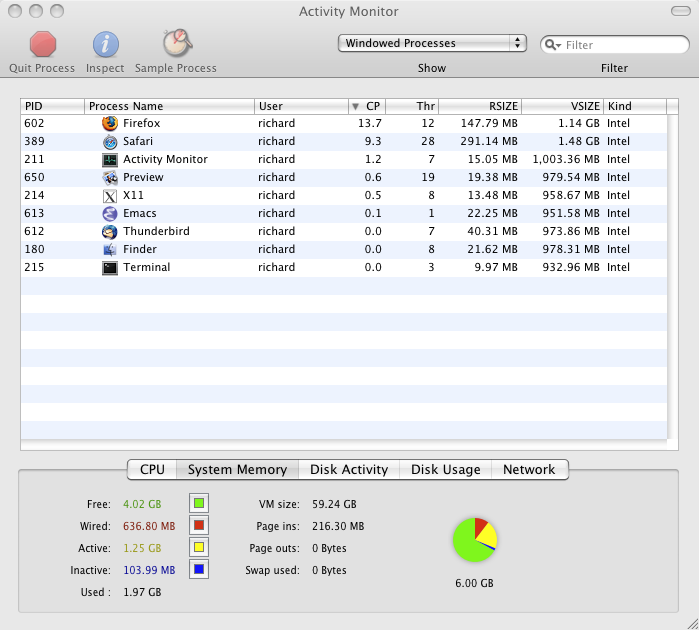
It actually uses more memory than Firefox (RSIZE is the amount of real RAM used, VSIZE counts swap as well and is generally less interesting). It does seem to use less CPU when idle (where "idle" for a web browser means "running various bits of Javascript"), which would lend a bit of plausibility to Apple's performance claims if it weren't for the fact that visiting a page on Apple's own website took around 30s to load (and then proceeded to lag way behind user input, and SPOD some of the time, when scrolling) where Firefox managed to produce it just like that.
(I think it must be something about that page, since other pages don't produce the same problem. But you'd think they'd test it against its own website!)